Connect a Diversion repository
A Diversion connection is the shortest form on the Connections page: a server URL, an API token and a repository name. It is also the strictest about order. Build Stream only accepts a Diversion commit for a branch that already exists in its branch table, so add the branch before the first commit you want built.
| GitHub App | GitHub (token) | Bitbucket Cloud | Diversion (beta) | Hosted Perforce | |
|---|---|---|---|---|---|
| You provide | An App install, then you pick a repository. | Username, repository and a Personal Access Token. | Workspace and an API token. | Server URL, API token and the repository name. | A depot path on the server you already host with us. |
| Repositories you can pick | Any the App can see. | One you name. | Listed after Load repositories. | One you name. | One depot path you type. |
| How commits arrive | Webhook, a scheduled check, or both. The webhook is created for you. | Webhook, a scheduled check, or both. You create the webhook from Manage Webhook. | Webhook, a scheduled check, or both. You create the webhook from Manage Webhook. | Webhook. You create it. | Every submit, once Build on check-in is on. Nothing to create. |
| Delivery is verified | Yes. Each delivery is signature-checked; a bad signature is refused. | No. Deliveries to a token connection are accepted unsigned and recorded as unverified. | No signature check. | No signature check. | Yes. Every submit is signed by the platform. |
| Branch list in the app | Yes. | Yes. | Yes. | No. You type the name. | No. You type the stream or directory. |
| Pushes to a branch you have not added | Recorded as a notice. | Recorded as a notice. | Acknowledged and dropped. Nothing is shown in the app. | Rejected, not recorded. | Recorded as a notice. |
| Version from releases | Yes. | No. | No. | No. | No. |
If the form has a Personal Access Token field, you also create the webhook, and its deliveries are not signature-checked. The GitHub App path has neither a token nor a webhook to create, and every delivery is checked.
Fill in the form
Open Connections and choose Diversion
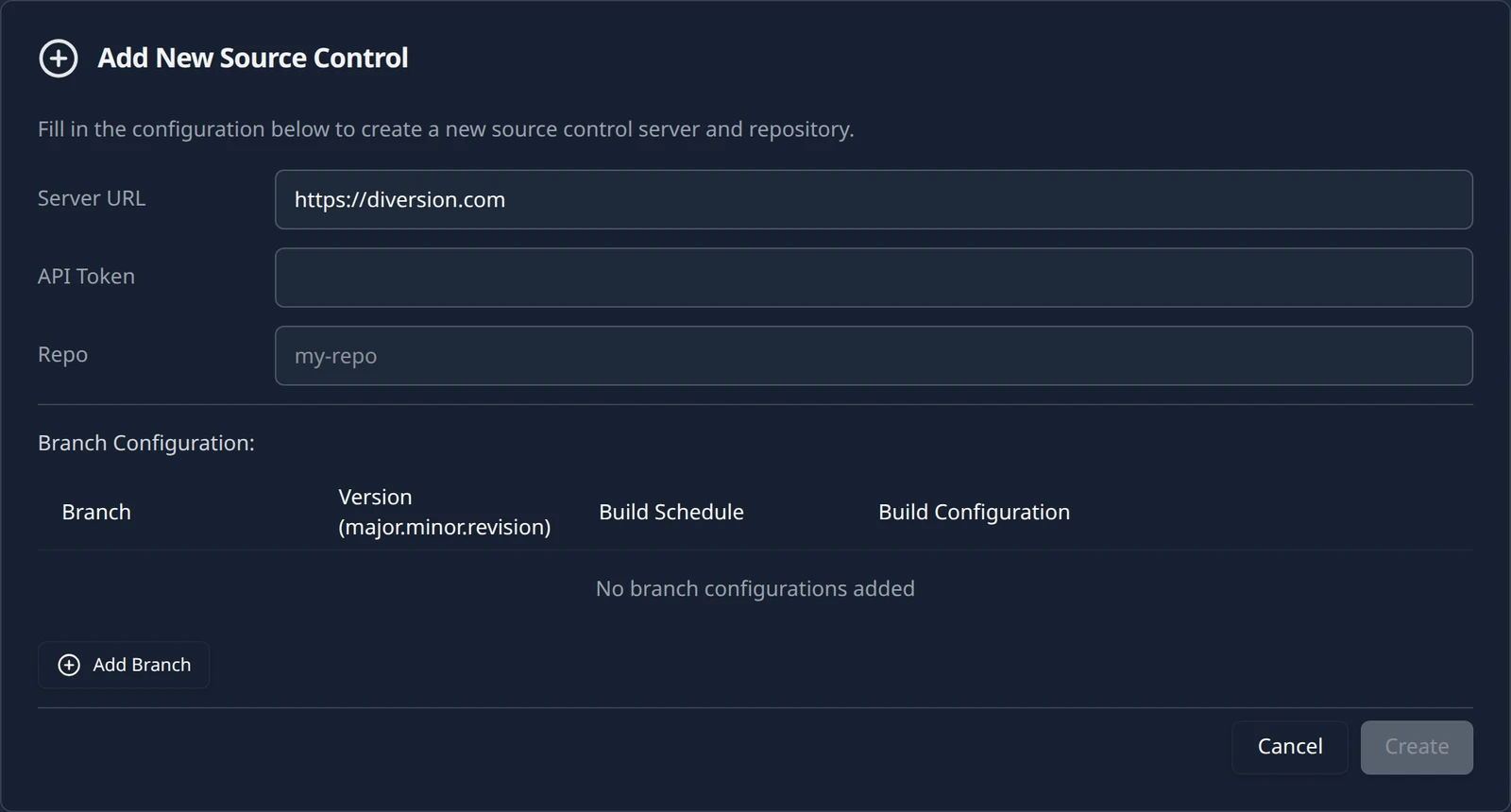
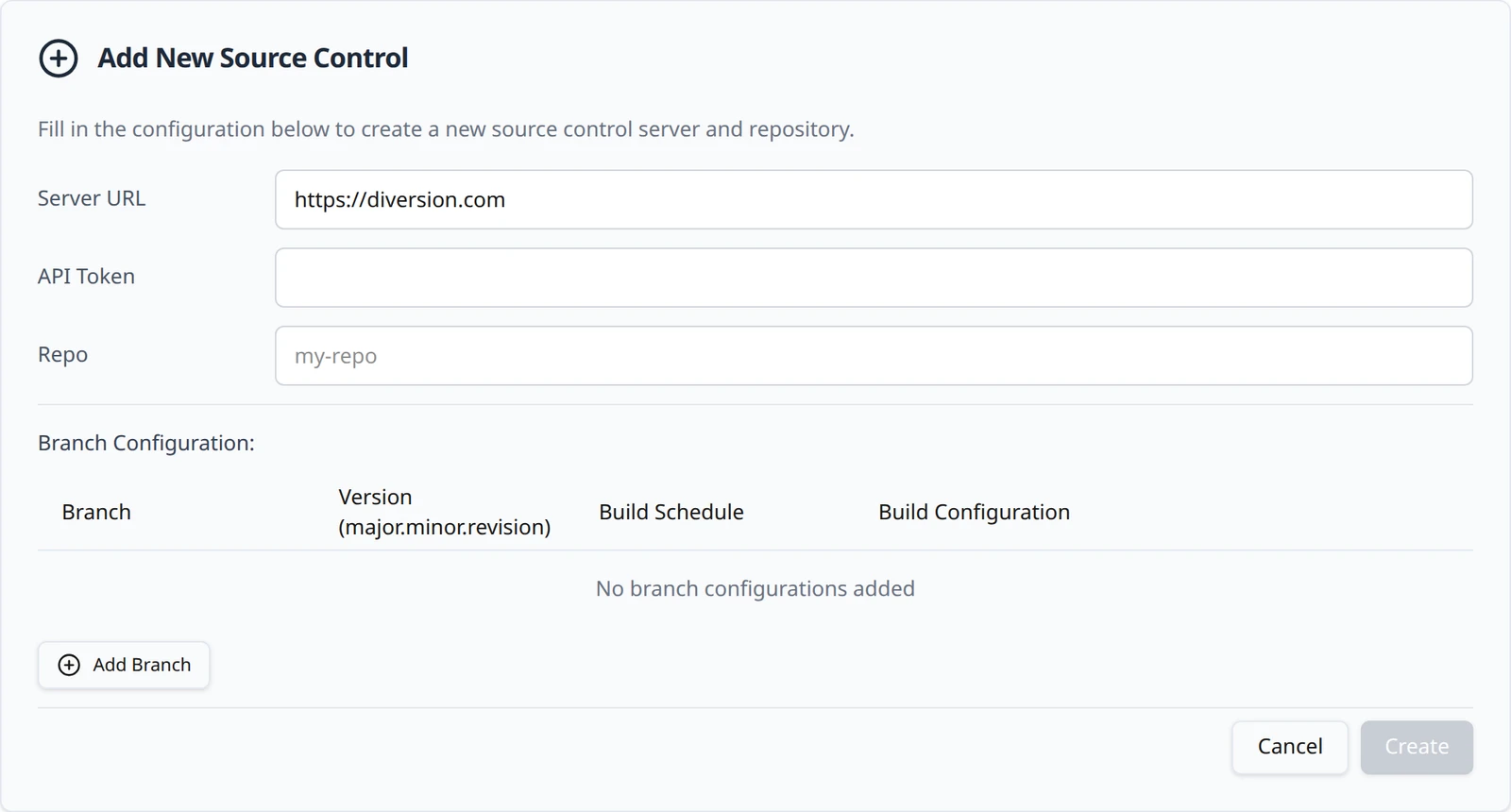
In the project sidebar open Build Stream and then the Connections page. Click Add and choose Diversion. A card expands with three fields and an empty Branch Configuration: table. There is no connection-method box on this form: a Diversion repository is always fed by the webhook.
Fill in the three fields
The Diversion connection form Field What to enter Example Server URL The Diversion service you use. The field is pre-filled with the hosted service; change it only if you use a different endpoint. https://diversion.comAPI Token A Diversion API token with read access to the repository. It is masked as you type and is never shown again once saved. dv.token.…Repo The repository name exactly as Diversion shows it. starfallCreate stays disabled until all three have a value. Nothing is checked against Diversion at this point: a wrong token or repository name is accepted and only shows up when the first build tries to fetch the code.
Create the connection
Click Create. The toast Source Control Added confirms it and the form becomes a card. The card title pairs your organization's URL name with the repository, for example
northwind/starfall; that first part is not a Diversion workspace, it is the organization the project belongs to.
To change the server, token or repository later, open the card with Config. The same three fields appear under Configuration: with a Save Changes button that enables once something differs from what is saved. The stored token is never sent back to the browser: the API Token row reads •••••••• set with a Replace link. Leave it alone to keep the existing token, or press Replace and paste a new one.
Create the webhook
The card's Manage Webhook: block shows the Webhook URL with a Copy button and, under it, a Webhook secret field with Generate, Copy and Save secret buttons. Unlike the GitHub and Bitbucket URLs, the Diversion URL carries the organization and project in its path; that is how a delivery finds your project:
https://buildstream.starfall.northwind.example.com/api/build-stream/webhooks/dv/northwind/starfall/
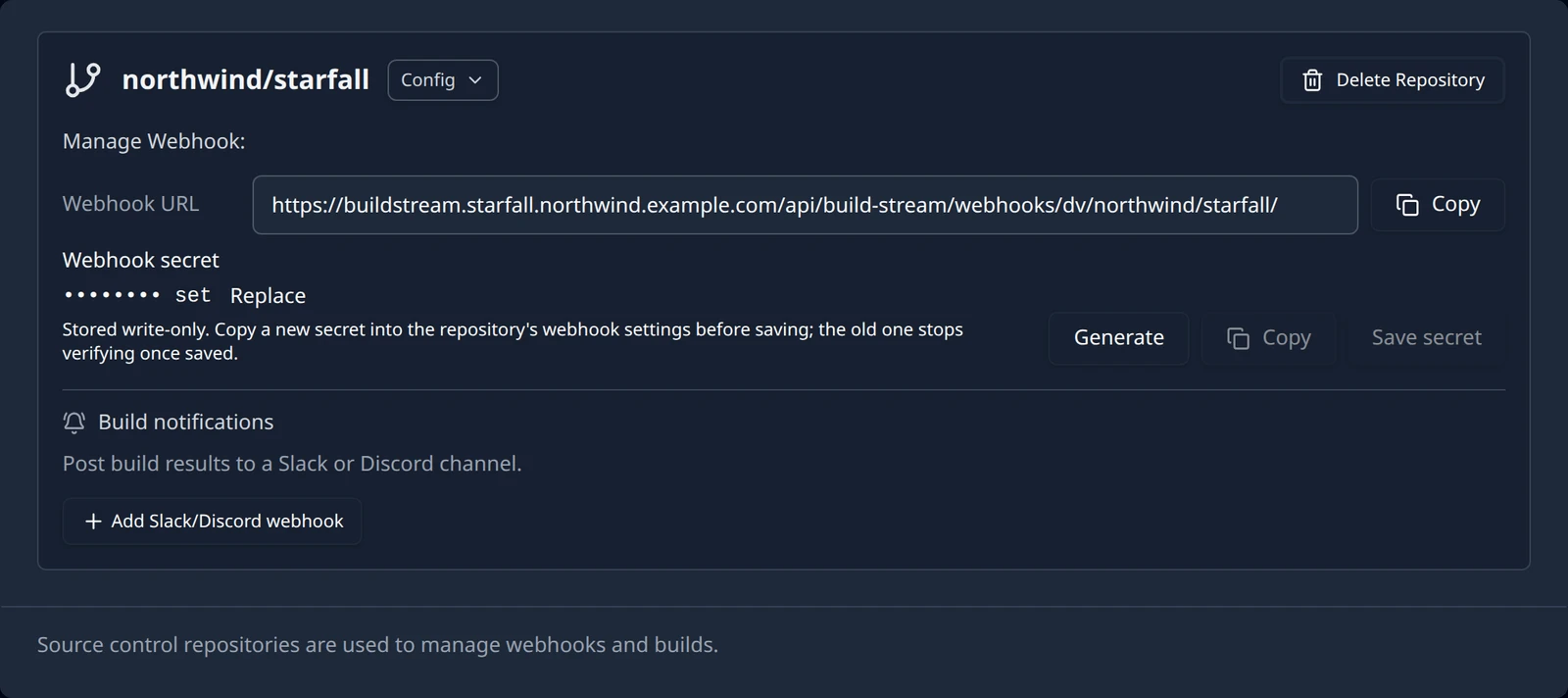
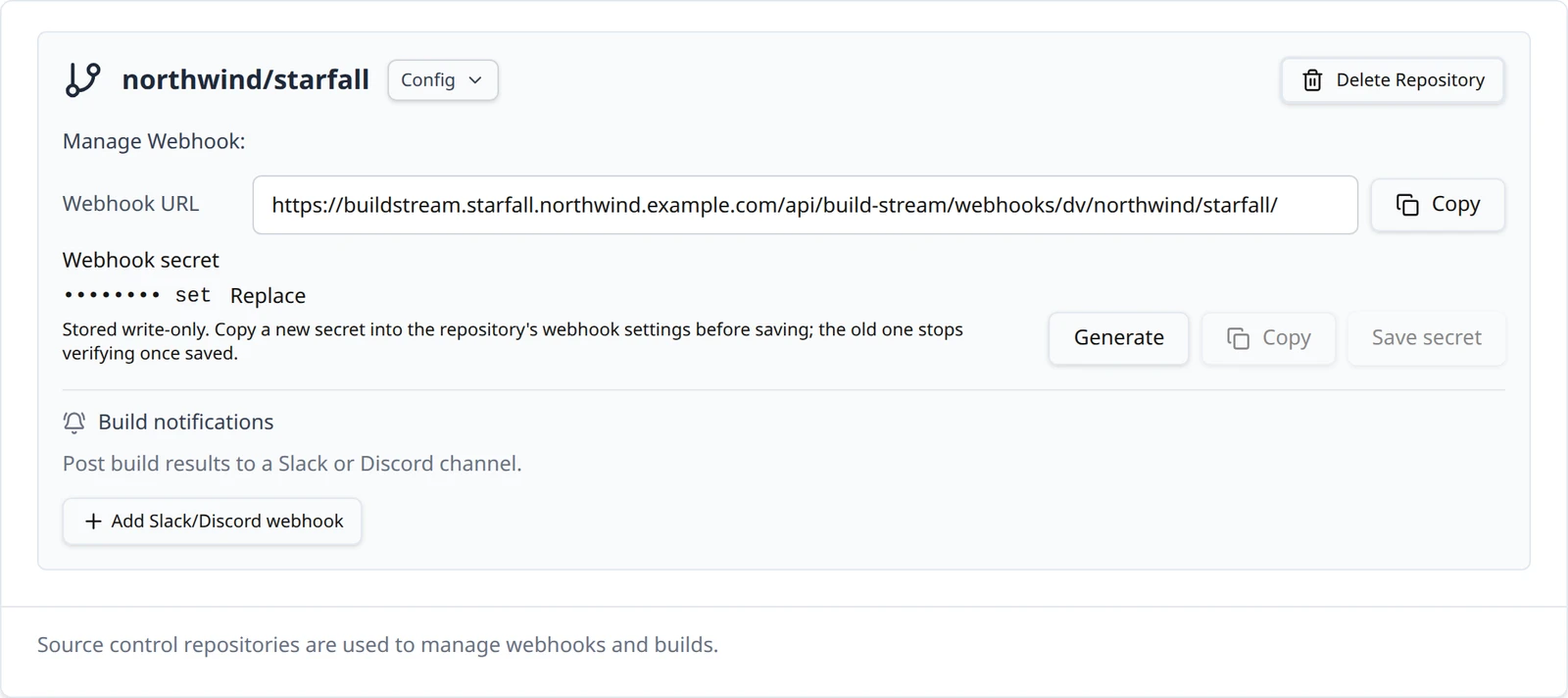
Build Stream does not create the webhook in Diversion for you. In Diversion, add a webhook on the repository that posts to this URL and subscribes to the commit-created event. Build Stream acts on exactly one event type, v1.repo.commit.created; any other type is answered with ignored and does nothing. The Webhook secret on the card is stored write-only and shows as •••••••• set once saved, but Diversion deliveries carry no signature that Build Stream checks today, so saving one changes nothing about which deliveries are accepted; keep the webhook URL private instead.
For every accepted commit Build Stream records the author, the commit id and message, and marks the push for the scheduler, which then applies the branch's schedule and build configurations. The commit appears on the Commits page within a few seconds of the delivery.
Add the branch first
A Diversion delivery is matched in three steps: the organization in the URL, the project in the URL, and then the branch name in the payload against the branches in your Branch Configuration table. If the branch is not there, the delivery is rejected with a 400 and the message Could not find Source Control Server for main (with the branch name in place of main). Nothing is recorded: no commit, no build, and no notice in the app. Diversion shows the failed delivery in its own log, and Build Stream will not pick that commit up later.
Because the app cannot list Diversion branches, you type the name into the row's branch-name field. It must match the branch name Diversion sends exactly, including case. Adding rows is covered on Add a branch.
A delivery can also fail before the branch check. A 400 naming your organization or project means the URL in Diversion does not match the one on the card: copy it again from Webhook URL. Malformed webhook payload means the body was not what Diversion normally sends; email support@devstreamlabs.com with the delivery if you see it.
What Diversion connections do today
| Capability | Diversion today |
|---|---|
| Credential checked on Create | No. A wrong token shows up as a failed clone on the first build. |
| Branch picker | No. Type the branch name; it must match exactly. |
| Versions from releases | No. Type the base version; see the versioning section on the branches page. |
| Webhook | You create it in Diversion for the commit-created event. There is no scheduled check for Diversion. |
| Delivery signature | Not checked today. Keep the webhook URL private. |
| Commit on a branch you have not added | Rejected with a 400 and not recorded. Nothing appears in the app. |
| Repositories per project | One, like every provider today. |
Once a commit has been accepted, continue with Your first build. For a commit that Diversion delivered but Build Stream rejected, start at Troubleshooting: webhooks.
Something out of date or unclear? Email support@devstreamlabs.com.